Promo Codes

Promo codes allow you to offer discounts to your event participants. Follow these steps to create and manage promo codes in Stripe.
Creating Promo Codes in Stripe
Navigate to Stripe Dashboard
- Go to Stripe Coupons
- Alternatively, search for “coupons” in the Stripe dashboard search bar
Configure Your Promo Code
- Discount Type: Choose between:
- Percentage off: e.g., 20% off
- Fixed amount off: e.g., $10 off
- Promo Code: Create a customer-facing code (e.g., “EARLY20”, “WELCOME10”)
- Expiry Date: Set when the promo code expires
- Usage Limits: Control how many times the promo code can be used
- Discount Type: Choose between:
Enabling Promo Codes in SPORTSHUB
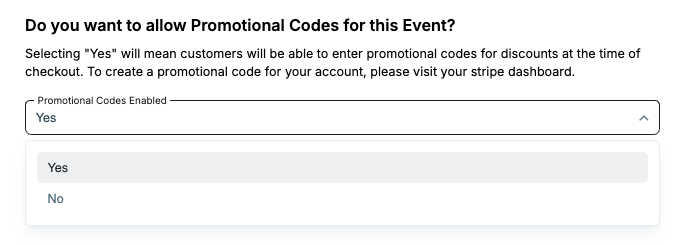
To use your Stripe promo codes for SPORTSHUB events:
- During Event Creation: Enable “Promotional Codes” in the event creation form
- Existing Events: Go to Event Settings and enable promotional codes
Important Notes
- Cross-Event Usage: Promo codes work across all your events, not just specific ones
> 100% Discount Bug: If you pass application fees to customers, you cannot offer 100% discounts as Stripe doesn’t allow this configuration.